Getting Started
Installation
From Community plugins
PennyWallet is not yet listed in Obsidian's community plugins. Use BRAT or manual install below.
BRAT (beta)
BRAT installs beta plugins directly from GitHub and keeps them updated.
- Install the BRAT plugin from Settings → Community plugins → Browse and enable it
- Run BRAT: Add a beta plugin for testing from the Command Palette
- Enter the repository:
twrusstw/penny-wallet - Enable PennyWallet in Settings → Community plugins
Manual
- Download
main.js,manifest.json, andstyles.cssfrom the latest release - Create the folder
<your-vault>/.obsidian/plugins/penny-wallet/ - Copy the three files into that folder
- Open Obsidian → Settings → Community plugins → enable PennyWallet
First-Time Setup
Step 1 — Add your accounts
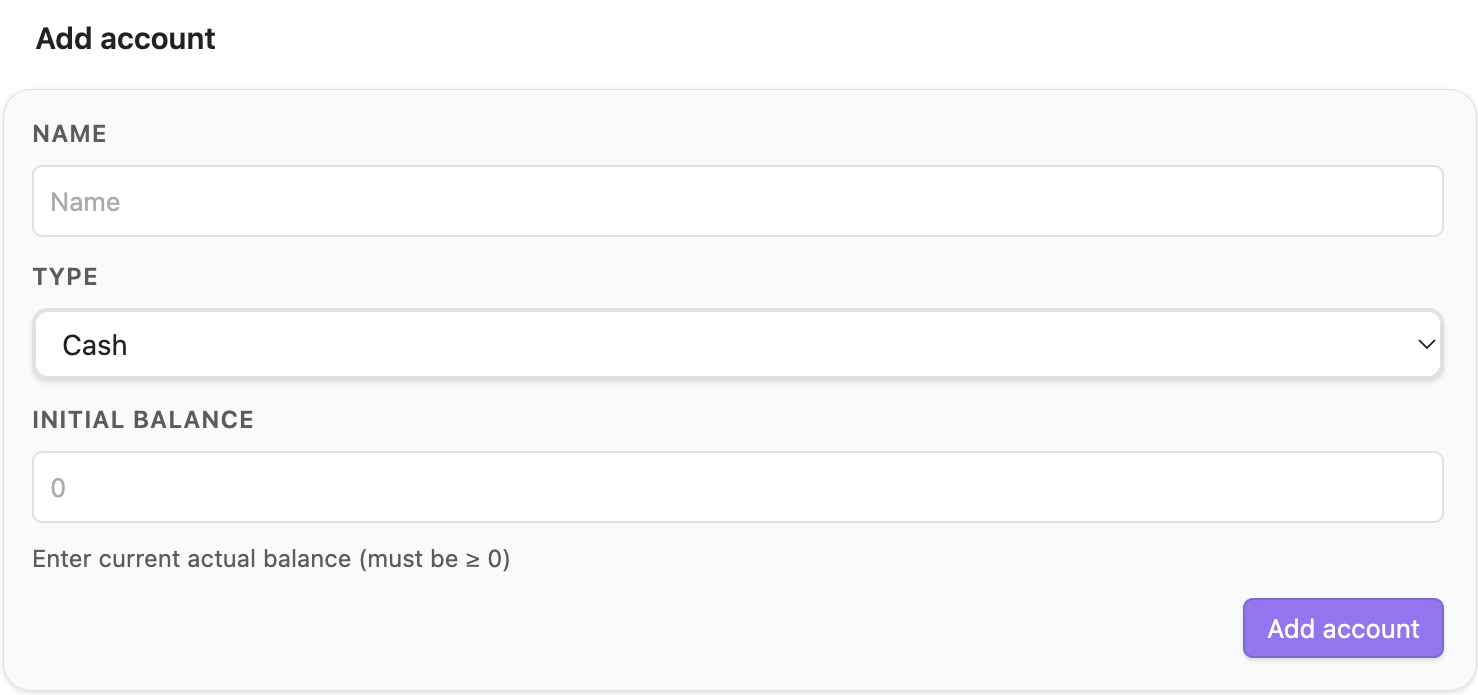
Go to Settings → PennyWallet → Active Accounts and click Add Account.
For each account you have, add an entry with:
- Name — any label you want (e.g.
Cash,HSBC Savings,Visa Platinum) - Type —
Cash,Bank, orCredit Card - Initial Balance — your current balance (for credit cards, enter your current outstanding debt as a positive number, e.g.
3000means you owe 3,000)
Tip: Add all accounts before logging any transactions, so balances are calculated correctly from the start.
Step 2 — Set a default account
In Settings → PennyWallet → General, choose which account should be pre-selected when you open the Add Transaction form.
Step 3 — Log your first transaction
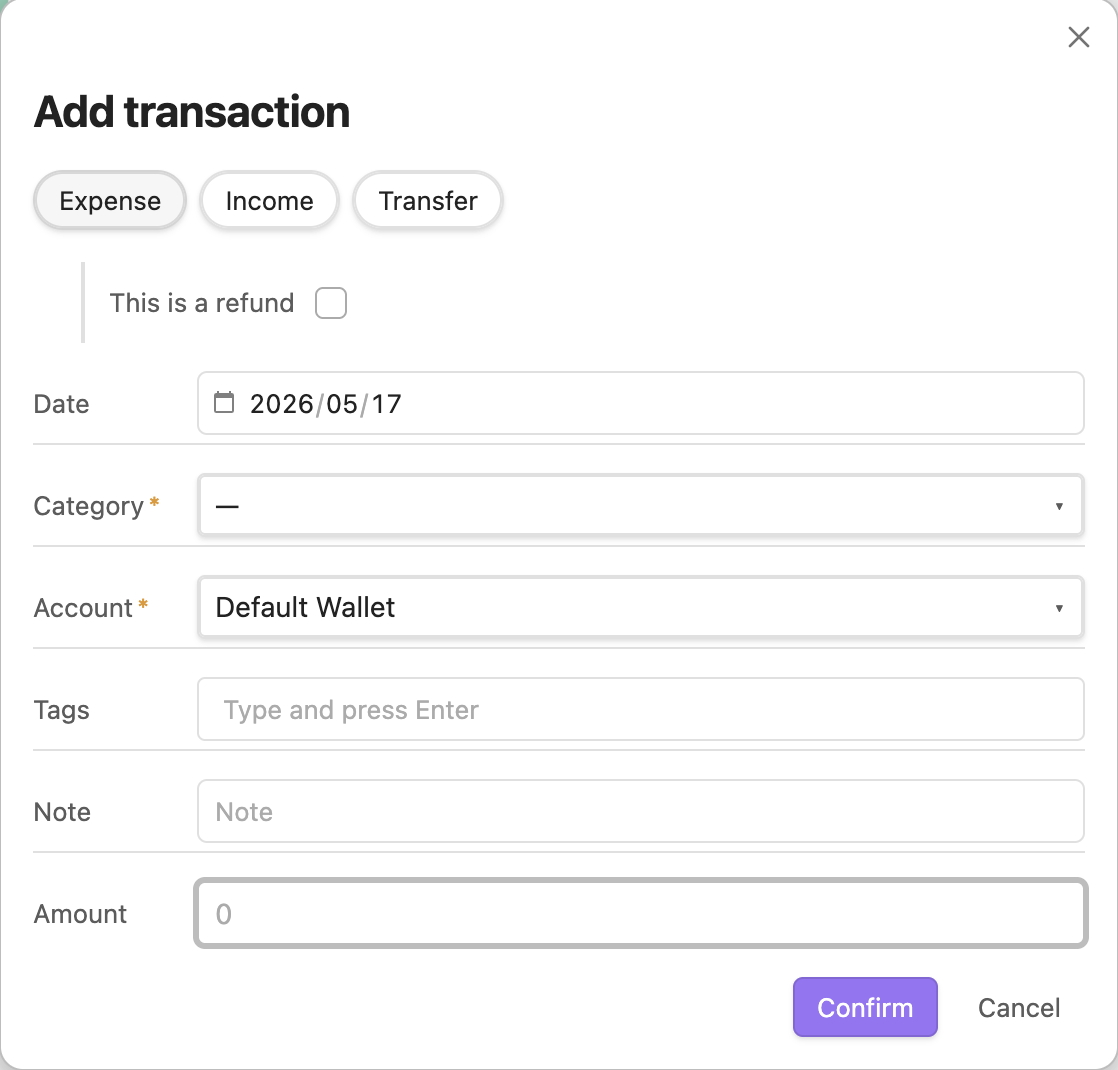
Click the PennyWallet icon in the left ribbon to open the Finance Overview, then press + Add Transaction. You can also run PennyWallet: Add transaction from the Command Palette (Cmd+P).
Fill in:
- Type — Expense, Income, or Transfer
- Date — defaults to today
- Account — which account to record against
- Category — choose from the list or leave blank
- Note — optional description
- Tags — optional labels; on mobile, tap the tag row to open the picker
- Amount — on mobile, tapping the field opens a calculator sheet with numpad,
00, ⌫, and a formula bar in the title; press Done to commit the value
Press Confirm to save.
Using PennyWallet on a phone? See Mobile entry for bottom-sheet pickers and the calculator.
Command palette
All commands are available via Cmd+P (or Ctrl+P on Windows / Linux):
| Command | Action |
|---|---|
PennyWallet: Open finance overview | Open the dashboard |
PennyWallet: Open transactions | Open the transactions view |
PennyWallet: Open assets | Open the assets view |
PennyWallet: Add transaction | Open the transaction form directly |
PennyWallet: Refresh views | Refresh all open PennyWallet views |
PennyWallet: Validate data | Scan all wallet files for frontmatter / orphan-wallet issues |
PennyWallet: Open settings | Open Obsidian Settings on the PennyWallet tab |
Where data is stored
PennyWallet creates:
<vault>/
├── .penny-wallet.json     ← your config (accounts, categories, settings)
└── PennyWallet/           ← one .md file per month
    ├── 2026-04.md
    └── 2026-03.md
The folder name (PennyWallet by default) can be changed in Settings. See Data Format for details on the file structure.